Quick answer
Choose by games and friends first, hardware second. If the people you play with are on PlayStation, or you want Sony’s own games, buy a PS5. If you would rather pay a monthly fee for a large library than buy games one at a time, an Xbox with Game Pass is the natural fit. Within Xbox, the Series S is the smaller, digital-only console for casual play or a second TV, and the Series X is the more powerful one for a 4K TV. Whichever you pick, decide on disc drive or digital and how much storage before you look at prices.
If you are weighing up Sony and Nintendo instead, see our guide to PS5 vs PS5 Pro vs Nintendo Switch 2.
The consoles in plain English
Microsoft’s UK “help me choose” page currently lists these Xbox models:
- Xbox Series S, with 512GB or 1TB of storage. It has no disc drive.
- Xbox Series X, with 1TB of storage, in a version with a disc drive and an all-digital version.
- Xbox Series X 2TB, a special edition with double the storage and a disc drive.
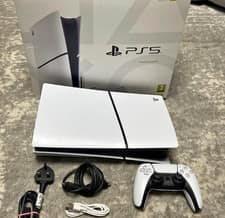
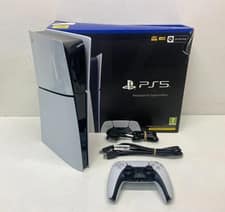
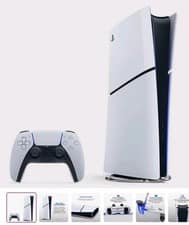
Sony sells the PS5 with a disc drive, the PS5 Digital Edition without one, and the PS5 Pro, which Sony lists with 2TB of built-in storage and aims at people who want higher performance on a 4K TV.
Line-ups and bundles change, sometimes during the sale itself, so check the maker’s own page for the exact model you are being offered. We have not tested these consoles; this guide is about what to check.
Side-by-side: what actually differs
| Question |
Xbox Series S |
Xbox Series X |
PS5 / PS5 Digital Edition |
| Disc drive |
No |
Yes on the disc version, no on the digital version |
Yes on the PS5, no on the Digital Edition |
| Best matched to |
A 1080p or 1440p screen, a bedroom or second TV |
A 4K TV |
A 4K TV |
| Built-in storage |
512GB or 1TB |
1TB or 2TB |
Check the model listed |
| Plays physical games and films on disc |
No |
Disc version only |
Disc version only |
| Online multiplayer in paid games |
Needs Game Pass |
Needs Game Pass |
Needs PlayStation Plus |
| Games library |
Xbox, same as Series X |
Xbox |
PlayStation |
These are the makers’ published positions, not our measurements.
Disc or digital: the choice that costs or saves the most
A digital-only console is usually cheaper to buy, but you can then only buy games from that console’s own online store. A disc drive lets you:
- buy pre-owned games and sell or swap them when finished
- borrow games from friends and family
- shop around between retailers for physical copies
- play films on disc, if you still have a collection
If the console is for a child who gets through a lot of games, or you like buying second-hand, the disc version often works out cheaper over a few years. If you only play a handful of big titles, or mainly free-to-play games, digital is simpler and there are no discs to lose or scratch.
Storage: 512GB fills up fast
Big games can take up a large slice of a console’s drive, so the smallest option suits people who play a few games at a time and are happy to delete and re-download. For a family sharing one console, 1TB is the more comfortable starting point. Both Xbox and PlayStation let you add storage later, but the fast expansion drives that can run current games are a real extra cost. Check which type the console needs before you buy one in the sales.
Subscriptions: the running cost people forget
Both systems charge for online multiplayer in paid games.
- Xbox Game Pass comes in Essential, Premium and Ultimate plans. All three include online console multiplayer, and the size of the included games library grows with each step up. Microsoft says Ultimate includes new games on the day they launch.
- PlayStation Plus comes in Essential, Extra and Premium plans. Online multiplayer is included with every plan, and Extra and Premium add a catalogue of games.
Prices for both have changed more than once, so check the current monthly and annual price on the official pages below, then multiply by the years you expect to keep the console. Over three or four years the subscription can cost as much as the machine. Check whether a longer term works out cheaper per month than paying monthly, and step down a tier at renewal if you are not using the extras.
Match the console to your TV
A Series X or PS5 is designed around a 4K TV. If the console is going on an older 1080p set in a bedroom, the Series S is made for that job. For smooth, fast-moving games, check whether the TV supports 120Hz and has an HDMI 2.1 port; many budget TVs do not. If you are buying a TV as well, our TV size and viewing distance guide covers what will fit the room.
How to check a console deal
Console prices move less than most tech, so the “saving” is often in the bundle: an included game, a second controller or subscription months. Price up each item in the bundle separately and ignore extras you would not have bought. Our Deal Checker helps you sanity-check an offer, and how to check price history before Black Friday explains the free tracking tools.
See what is live on our gaming deals page and in the gaming section, or try the product finder.
Amazon search links (Ad): Xbox Series X consoles, Xbox Series S consoles, PS5 consoles, Xbox wireless controllers and PS5 DualSense controllers. We don’t quote prices because they change through the day.